Company setup
The employer's admin gets the company ready for payroll in five steps: business details, bank account, ATO connection, default super fund and pay settings. The checklist reads Payroo's readiness, so it shows each step as done only when Payroo's server agrees. Sensitive values (the account number) are typed into a Payroo-origin secure field and never enter your page.
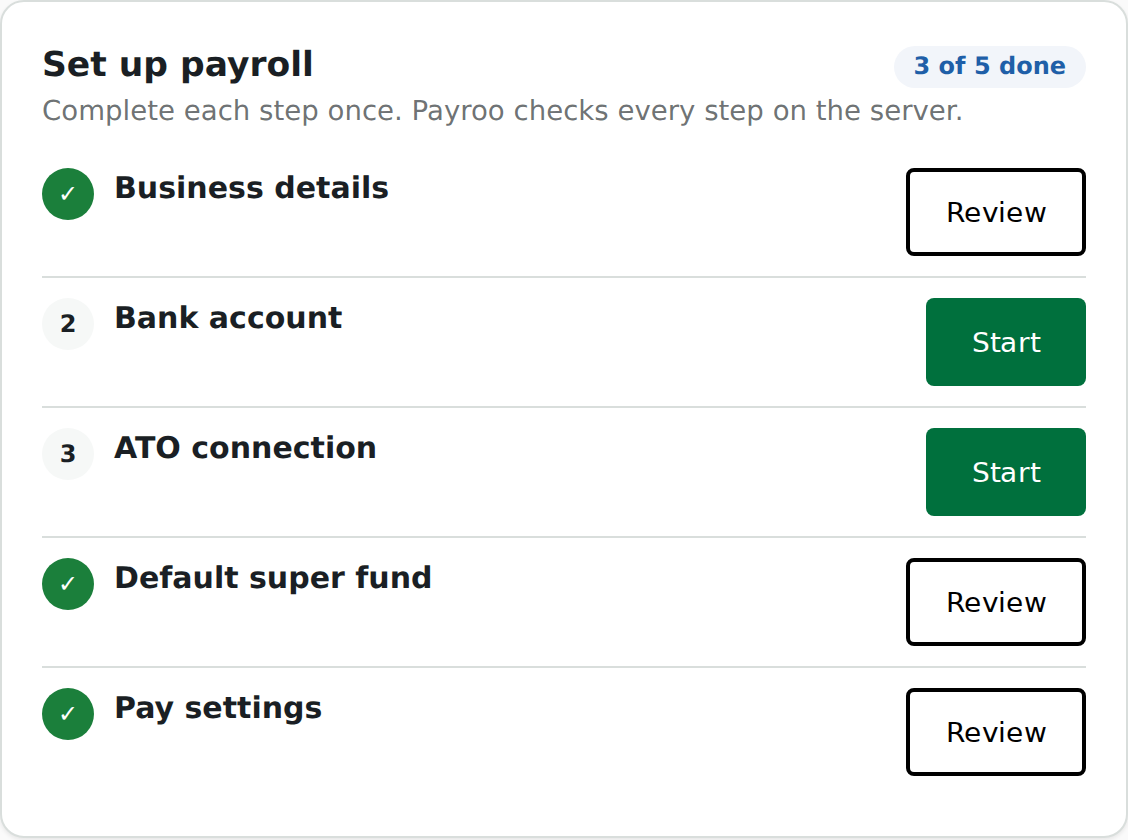
| Session | employer; company:read to show the checklist, company:write to save a step |
| Component id | company-setup |
| React exports | CompanySetupChecklist, BankAccountForm, AtoConnection, SuperFund |
| Guide | Company setup |
Try it live on synthetic data, natively and in Payroo's frame: in the gallery, or the whole journey in Enable payroll.
Mount it
// Native: the checklist, and each step's form where you want it.
<CompanySetupChecklist onSelectStep={(step) => setOpen(step)} version={saved} />;
{
  open === 'bank-account' && <BankAccountForm onSaved={() => setSaved((v) => v + 1)} />;
}
{
  open === 'ato-connection' && <AtoConnection onSaved={() => setSaved((v) => v + 1)} />;
}
{
  open === 'super-fund' && <SuperFund />;
}

// Frame: the whole flow in one Payroo-origin frame.
<PayrooFrame component="company-setup" />;
The super fund step runs SuperAPI's widget, which only works on Payroo's origin, so SuperFund always renders a frame, even in a native page.
Props
| Component | Props |
|---|---|
CompanySetupChecklist |
onSelectStep(step) when the user opens a step; version, bump it after a step saves to reload readiness |
BankAccountForm |
onSaved(view) with the masked account view |
AtoConnection |
onSaved(state) with the connection state |
SuperFund |
onMessage, onError as on PayrooFrame |
Events
| Event | When |
|---|---|
company.onboarding.step_completed |
a step saved (payload stepId) |
company.ready_for_payroll |
all five steps are done; emitted once per company |
The same company.ready_for_payroll arrives as a webhook at your server.
Errors it can show
| Code | Meaning | Next action |
|---|---|---|
step_up_required |
a bank change needs the user's confirmation with Payroo | the component opens the Payroo dialog and retries |
invalid_handle |
the secure field's value was spent or expired | the user types the number again |
field_locked |
the field is frozen after a lodgement | Payroo support can change it |
precondition_required |
ATO notify before the review step | do the review step first |
validation_failed |
a field is wrong; the form marks which | fix the field |