Employees
The employer's admin lists, adds and edits employees, and invites each new employee to finish their own details (tax declaration, bank account, super choice). Tax file and account numbers go through Payroo-origin secure fields.
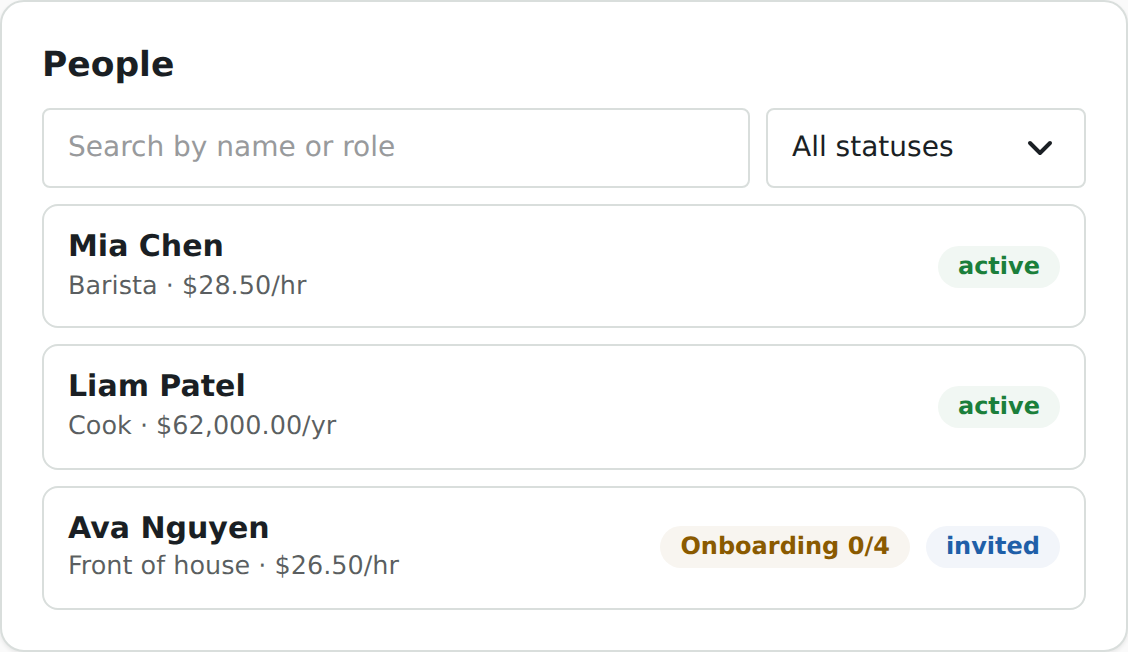
| Session | employer; employees:read for the list and records, employees:write to add, edit and invite |
| Component id | employees |
| React exports | Employees (list, add and record in one), or EmployeeList, EmployeeForm, EmployeeRecord, EmployeePayItems (the Pay Rates tab alone) to compose your own |
| Guide | Employees |
Try it live on synthetic data, natively and in Payroo's frame: in the gallery, or the whole journey in Add an employee.
Mount it
<Employees />                          // native, everything in one
<PayrooFrame component="employees" />  // frame

// Or compose:
<EmployeeList onSelect={(e) => setId(e.id)} onAdd={() => setAdding(true)} />
{adding && <EmployeeForm onSaved={(employee, invitation) => setAdding(false)} onCancel={() => setAdding(false)} />}
{id && <EmployeeRecord employeeId={id} onBack={() => setId(undefined)} />}
Props
| Component | Props |
|---|---|
Employees |
none needed |
EmployeeList |
onSelect(employee), onAdd() |
EmployeeForm |
onSaved(employee, invitation?), onCancel() |
EmployeeRecord |
employeeId (required), onBack() |
EmployeePayItems |
employeeId (required) |
EmployeeRecord shows the employee in the tabs of Payroo's app, and each tab is an edit form:
| Tab | What the admin edits |
|---|---|
| Profile | names, date of birth, e-mail, phone and address. An address is saved whole or not at all; an e-mail another employee holds is refused |
| Taxes | job title, start date, residency and the tax-free threshold; the tax file number through a Payroo-origin secure field |
| Pay Rates | the ordinary rate, per hour or per year. It applies to pay runs created after it is saved |
| Bank Accounts | a new account: BSB and account name, the number through a secure field. The user confirms the change with Payroo |
| Super Funds | the fund choice, the USI of a nominated fund, and its member number through a secure field |
Tax file, account and member numbers are never shown; the record says only whether Payroo holds one.
When the employee is invited with the partner_link channel, onSaved receives the invitation with its link, for you to deliver in your own e-mail or in-app message; with payroo_email Payroo sends it. The invited employee then uses Employee self-onboarding.
Events
| Event | When |
|---|---|
employee.created |
an employee was added |
employee.updated |
a tab of the record was saved |
employee.invited |
an invitation was sent or re-sent |
Errors it can show
| Code | Meaning | Next action |
|---|---|---|
step_up_required |
a bank section needs the user's confirmation | the component opens the Payroo dialog and retries |
invalid_handle |
a secure value was spent or expired | the user types it again |
validation_failed |
a field is wrong; the form marks which | fix the field |