Run payroll
The employer's admin creates the pay run for the next period, edits hours, adjustments, allowances and deductions, approves it in a Payroo-origin confirmation and lodges it with the ATO under the STP declaration. An employee can be removed from a draft, after a confirmation, as long as one remains. An employee who can be paid for the period and is not on the draft can be added from the Add employee picker under the lines; Payroo builds the line from their pay rate, leave and recurring pay items. Each adjustment on a line is listed under it, with Remove while the run is a draft. Allowances and deductions Payroo holds on a line (from the employee's recurring items, for example) are listed too, so the figures add up. The component then follows the lodgement until the ATO's outcome arrives, and offers the payment file.
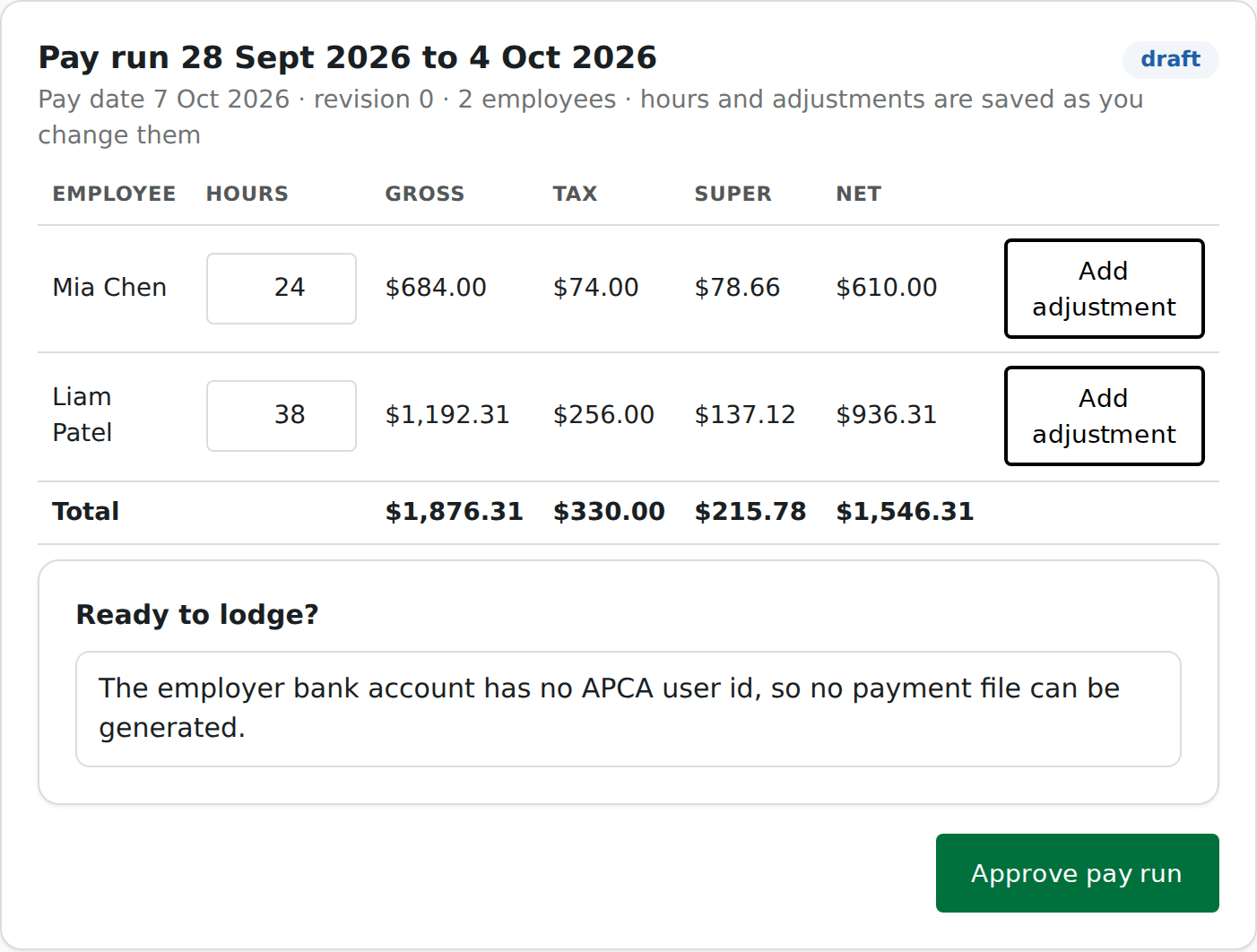
| Session | employer; payruns:read, payruns:write (create, edit, approve), payruns:lodge, documents:read (payment file) |
| Component id | run-payroll |
| React exports | RunPayroll; PayrunReview for the approval review of one run on its own |
| Guide | Run payroll |
Try it live on synthetic data, natively and in Payroo's frame: in the gallery, or the whole journey in Run payroll.
Mount it
<RunPayroll onApproved={() => toast('Approved')} onOutcome={(state) => track(state)} />
<PayrooFrame component="run-payroll" props={{ payrunId }} />
Without payrunId the component starts at the period step and creates the run.
Props
| Prop | Meaning |
|---|---|
payrunId |
open this pay run instead of creating one |
onCreated(payrun) |
a pay run was created |
onApproved() |
the run was approved |
onReopened() |
an approved run went back to draft |
onLodging(operationId) |
the lodgement was accepted for processing |
onOutcome(state) |
accepted, rejected or needs_attention |
PayrunReview takes payrunId (required), onApproved() and onReopened().
Events
| Event | When |
|---|---|
payrun.created |
a pay run was created |
payrun.line_updated |
an employee's line changed or was removed |
payrun.approved |
the run was approved in the Payroo confirmation |
payrun.reopened |
an approved run went back to draft |
payrun.lodging |
the lodgement started |
document.opened |
the payment file was opened |
The ATO outcome arrives at your server as the payrun.accepted or payrun.rejected webhook.
Errors it can show
| Code | Meaning | Next action |
|---|---|---|
revision_conflict |
someone else changed the run | the component reloads it |
payrun_not_editable |
the run's state does not allow the edit | reopen it, or edit in Payroo's app |
payrun_period_overlap |
a run for that period exists | open the existing run |
approval_intent_expired |
the confirmation took too long | approve again |
step_up_required |
approving or lodging needs the user's confirmation | the component opens the Payroo dialog |
payrun_not_approved |
lodge before approval | approve first |
payer_apca_id_missing |
the employer's bank account has no APCA user id or no institution code, so no payment file | Company setup, bank account |